
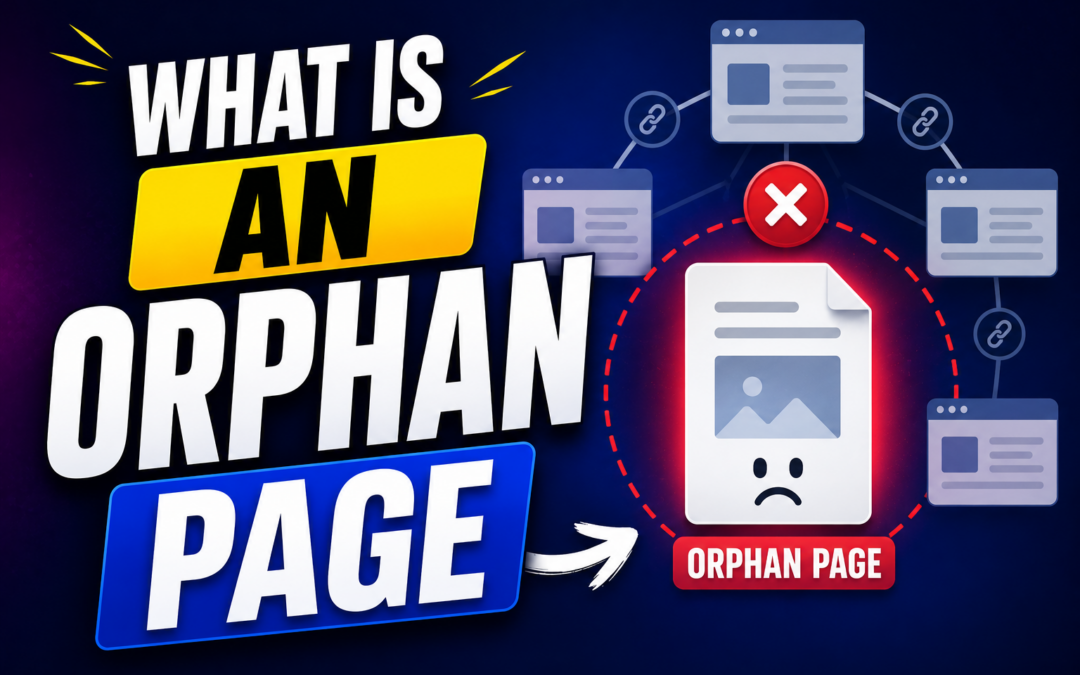
What is an orphan page, and why does it matter for your website’s SEO performance? An orphan page is a webpage on your website with no internal links pointing to it, making it difficult for users and search engines to discover naturally.
If you ignore orphan pages for too long, they can weaken your site structure, reduce crawl efficiency, waste valuable content, and lower your chances of ranking well on Google.
What Is An Orphan Page In SEO
An orphan page is a page on your website with no internal links connecting it to the rest of your site structure. Search engines rely heavily on internal links to discover, crawl, and understand content, so pages without links often become invisible to crawlers. Many website owners create orphan pages accidentally during redesigns, migrations, product removals, or content updates.
A strong internal linking structure improves navigation and helps search engines distribute authority across your pages. Many SEO professionals use tools that simplify internal linking for WordPress because managing hundreds of pages manually becomes difficult as websites grow larger. When orphan pages remain disconnected, they receive little to no internal authority, which weakens their ranking potential.
Orphan pages can still appear in search results if they are included in XML sitemaps or have backlinks from external websites. However, those pages still struggle because they are disconnected from your website’s natural content flow. That disconnect creates a poor user experience and prevents visitors from discovering valuable information naturally.
Why Orphan Pages Are Bad For SEO
Search engines use internal links to understand the relationship between pages on your website. When a page has no internal links, Google may treat it as less important because it receives no contextual support from other content. That situation can reduce indexing frequency and limit organic visibility over time.
Orphan pages also waste your crawl budget because search engines spend time discovering disconnected content instead of exploring your priority pages. Large websites with thousands of URLs often experience indexing delays when orphan pages accumulate across multiple sections. Those delays can become a serious issue for ecommerce stores, publishers, and service-based businesses.
User experience also suffers when important pages remain hidden from visitors. A visitor cannot naturally navigate to content if there are no links to it from menus, category pages, or blog posts. That problem reduces engagement metrics and increases bounce rates, which can indirectly affect SEO performance.
Common Causes Of Orphan Pages
Website redesigns are one of the biggest causes of orphan pages because old URLs are often forgotten during navigation updates. Pages may still exist in the CMS, but the new structure no longer links to them properly. This issue becomes more common when websites migrate to new themes or platforms.
Content pruning can also create orphan pages accidentally when related articles are deleted without updating internal links. Many businesses remove outdated pages but forget to reconnect surviving content to the remaining topic cluster. SEO teams that identify internal linking opportunities early often prevent structural issues from damaging rankings.
Temporary landing pages frequently become orphan pages after marketing campaigns end. Businesses create pages for paid ads, seasonal promotions, or email campaigns, then abandon them once the campaign finishes. Those forgotten pages remain live on the server and slowly clutter the website architecture.
How To Find Orphan Pages On Your Website
Finding orphan pages requires comparing crawl data against your complete list of URLs. SEO tools such as Screaming Frog, Ahrefs, Semrush, and Google Search Console help identify pages that exist but lack internal links. Most professional SEO audits include orphan page analysis because hidden pages can quietly weaken site performance.
You can start by exporting all indexed URLs from Google Search Console and comparing them with your website crawl report. Pages that appear in the index but are missing from the crawl often indicate orphan pages. XML sitemaps, analytics platforms, and CMS exports can also reveal disconnected URLs.
Server log analysis provides another effective method for identifying orphan pages. Logs show which URLs receive crawler visits even when they are missing from your internal structure. That data helps you uncover hidden pages that standard crawlers might overlook during routine audits.
Signs That Your Website Has Orphan Pages
A sudden drop in traffic to older articles may indicate orphan page issues. Pages that lose internal links often decline gradually because they stop receiving authority and user engagement from other content. Rankings may disappear slowly even if the page itself remains high-quality.
Poor crawl depth patterns also signal orphan page problems across large websites. Important pages should be reachable within a few clicks from the homepage, but orphan pages usually sit outside that structure entirely. SEO audits often reveal dozens or hundreds of disconnected URLs hidden deep inside content management systems.
Another warning sign appears when users rarely visit certain pages despite strong content quality. Analytics data may show low page views, minimal navigation traffic, and short session duration. Those patterns often suggest that visitors cannot naturally discover the content through internal navigation.
How Orphan Pages Affect User Experience
Website visitors expect logical navigation that naturally guides them to related information. Orphan pages interrupt that journey because users cannot discover those pages through menus, categories, or contextual links. That frustration reduces trust and makes the website feel incomplete.
A disconnected page also prevents visitors from exploring deeper into your content ecosystem. Readers often move between related articles before making purchasing decisions or contacting your business. When orphan pages break that flow, users leave your site earlier than expected.
Strong site architecture improves both usability and SEO performance at the same time. Visitors stay engaged longer when content feels organized and interconnected logically. That engagement sends positive behavioral signals that can support long-term search visibility.
Best Ways To Fix Orphan Pages
The most effective solution is adding relevant internal links from high-authority pages on your website. Those links should appear naturally inside content where they provide real value to readers. Contextual internal links help search engines understand topical relationships more effectively.
You should also review your navigation structure carefully to ensure important pages appear within category systems or resource hubs. Pages with long-term SEO value should never remain isolated from your primary architecture. Updating menus and topic clusters strengthens overall crawlability.
Sometimes deleting orphan pages is the better option if the content no longer serves a useful purpose. Low-quality or outdated pages can dilute site quality signals when left unmanaged. Redirecting those URLs to stronger related pages often improves SEO efficiency.
Internal Linking Strategies That Prevent Orphan Pages
Topic clusters are one of the best defenses against orphan pages because they create clear relationships between related content. Each article connects naturally to supporting pages, which improves crawl paths and authority distribution. Websites using structured topic clusters usually experience stronger indexing performance.
Breadcrumb navigation also helps reduce orphan page risks across large websites. Breadcrumbs create additional internal links that guide users and search engines through your hierarchy logically. Ecommerce websites especially benefit from breadcrumb-based navigation systems.
Editorial workflows should include internal link reviews before publishing new content. Many orphan pages appear because writers publish articles without connecting them to existing resources. A simple review process prevents those mistakes from accumulating over time.
Are All Orphan Pages Bad
Not every orphan page creates a problem because some pages are intentionally isolated. Paid advertising landing pages often remain disconnected to maintain conversion-focused experiences without distractions. Certain thank-you pages and private campaign URLs also serve specific marketing purposes.
However, intentional orphan pages should still be monitored carefully to avoid technical SEO issues. You should confirm that those pages have proper indexing settings and clear business objectives. Otherwise, forgotten pages may accumulate and weaken your website structure unnecessarily.
The key difference lies in whether the orphan page exists for a strategic reason. Valuable evergreen content should almost always connect to your broader internal linking system. Hidden informational pages rarely perform well without contextual support from related content.
Final Thoughts:
What is an orphan page if not a hidden weakness inside your website structure that quietly damages SEO performance over time? Orphan pages reduce crawl efficiency, weaken internal authority flow, and make it harder for users to discover valuable content naturally. If you want stronger rankings, better indexing, and improved engagement, you should audit your internal linking structure regularly and reconnect isolated pages strategically.
Fixing orphan pages does not always require advanced technical skills, as small internal linking improvements often yield measurable SEO gains. Consistent content audits, logical navigation, and strategic topic clusters help prevent orphan pages from appearing in the first place. When your pages work together inside a strong internal structure, search engines and visitors can navigate your website more efficiently and confidently.